
Selling Digital Products for Noobs: 2026 Guide
To start selling digital products as a beginner: pick one specific niche, get or create a product you have the right to sell, put it on a platform built for digital delivery (such as Gumroad, Payhip, Etsy for original designs, Amazon KDP for books, or your own WooCommerce store), and use social content and email to bring in buyers. TikTok is mainly a place to find an audience: most digital products cannot be listed in TikTok Shop itself. There are no guarantees on income, so start with one product and improve it from real feedback.
🎯 One niche, one product
A clear audience and problem beat a pile of unrelated files.📜 Rights first
Only sell what you created or hold a license to sell, and read each platform's rules.🏪 Right platform for the product
Printables, ebooks, courses and templates each suit different places to sell.📧 Own your audience
An email list and your own store protect you from platform changes.Many beginners upload a product, hit publish and then hear nothing. That silence is common, and it usually has little to do with the product file. It comes from picking the wrong audience, the wrong platform or a listing that does not explain the value. At The Plr Mrr Store we put this roadmap together to show the choices a beginner actually faces: what to sell, where to sell it and how to get the first buyers. Digital products have no inventory or shipping, which is why they are a popular starting point, but they still need a product people want and consistent promotion.
2026 Trends Dominating Digital Sales
🔎 Social search
Many shoppers now search inside social apps as well as search engines, typing things like "wellness planner for busy moms". Short videos that answer that question can reach them.💲 Value over rock-bottom prices
A focused product priced against comparable listings beats a pile of files sold for almost nothing. Price by the problem you solve.🎵 TikTok as traffic, not checkout
Most digital downloads cannot be listed in TikTok Shop, so creators use video to send people to their own store. See our guide on selling digital products on TikTok Shop.🧩 Quality over quantity
Enormous bundles tend to be outdated and identical across sellers. Read why in our guide to the bundle trap.There is no single best place to sell, so match the platform to your product and goals. Because The Plr Mrr Store publishes this guide, we list ourselves first, and we suggest you confirm every fee on each platform's own pricing page.
| Platform | Fees (at the time of writing) | Best for | Main catch |
|---|---|---|---|
| The Plr Mrr Store ★ (our pick) | $1 one-time listing fee, 0% commission, no monthly fee | Digital-only products, including PLR and MRR | Newer marketplace, so pair it with your own promotion |
| Gumroad | 10% + $0.50 per direct sale, 30% on Discover sales | Quick launches and selling to your own audience | Highest cost on low-priced products |
| Payhip | Free plan with 5% per sale, plus payment processor fees | Beginners who want a simple download store | Lower fees need a paid plan |
| Etsy | $0.20 per listing + 6.5% transaction + 3% + $0.25 processing (US) | Printables, planners and templates you designed | Digital items must be your own design; prompt bundles are not allowed |
| Amazon KDP | Royalty-based: 35% or 70% on ebooks depending on price and terms | Ebooks, journals and low-content books | Not for templates or courses, and strict content rules |
| WooCommerce | Free plugin, plus hosting, a domain and payment processor fees | A long-term store you fully own | You handle setup, security and all traffic |
| TikTok Shop | Varies by category and region | Physical goods, and a narrow invite-only set of virtual goods | Typical PLR, MRR, ebooks and templates are not eligible |
For a closer comparison, see our guides to the best platforms for selling digital products and where to sell digital products for free. Planning to sell AI prompt packs? Etsy does not allow them as stand-alone listings, as explained in our guide to AI prompt packs on Etsy.
The Golden Rule: Rebrand PLR for 2026 E-E-A-T
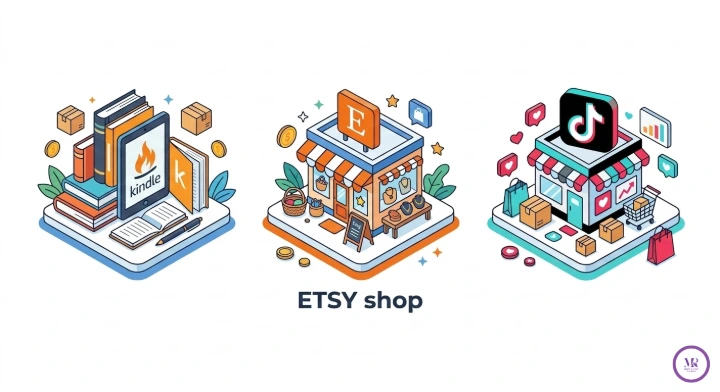
Copying and pasting someone else's product is a weak strategy. Search engines aim to reward helpful content that shows real experience, expertise and trust, and shoppers can spot a generic file that dozens of other sellers also have. Some marketplaces go further: Etsy, for example, requires digital items to be your own original design. Our guide to selling PLR products on Etsy explains what that means.
Rebranding is more than a new cover. Follow this process:
Read the license before you edit or resell anything, and see our guide to PLR content for digital products.
Noobs Roadmap: 0-to-First-Sale Checklist
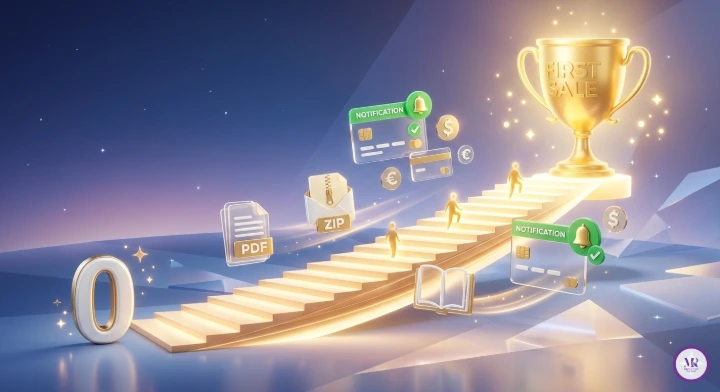
This is the sequence the First Sale Academy approach follows. Read more about it on our First Sale Academy page.
Deep Dive: How to Use Gumroad to Sell Digital Products (2026 Steps)
Gumroad suits beginners because there is no monthly fee and it delivers files automatically. It charges 10% + $0.50 per direct sale, and 30% on sales that come through its Discover marketplace at the time of writing, so confirm the current rates. Menu names can change, but the steps stay the same:
For more detail, read our guide to selling digital products with Gumroad.
Selling on Amazon: Can You Sell Digital Products on Amazon? (KDP Deep Dive)
Yes, for books. Amazon Kindle Direct Publishing (KDP) lets you publish ebooks, paperbacks and low-content books such as journals. It is not a place for templates, courses or software downloads. Key points:
| Topic | What to know |
|---|---|
| Account | Sign up for a KDP account and complete the tax and payment details |
| What you can publish | Ebooks, paperbacks, hardcovers and journals or notebooks that meet KDP's content guidelines |
| Ebook royalties | KDP offers a 35% or a 70% royalty option depending on price and terms; the 70% option applies to prices within a set range, so check the current rules |
| Review time | New titles can take up to a few days to go live |
| Rights | You must have the right to publish the content. KDP restricts duplicate and low-value content, so read its guidelines before you publish anything built from PLR |
WooCommerce Setup for Digital Products (Full Technical Guide)
WooCommerce is a free plugin for WordPress that turns a site into a store. It gives you full control and your own customer list, but you handle hosting, security and traffic. The main steps:
Crafting Pages & Emails That Convert (Tech + Psych)
🖼️ Hero image
Show the product in use, such as a planner on a tablet or a template on a phone screen.✍️ Problem, agitation, solution
Name the problem, explain why it matters, then show how your product solves it.⭐ Real proof
Use genuine testimonials and clear previews. Never invent reviews.👆 One clear call to action
Make the next step obvious and easy on a phone.A simple welcome email sequence has three parts: on day one, address the problem and deliver the free resource; a few days later, share an example or story that shows results are possible; then make a clear offer with an honest deadline only if the deadline is real. Aim for roughly four helpful emails for every promotional one.
Success Frameworks: What Successful Sellers Do
There is no guaranteed income in digital products, and results vary widely. But the sellers who keep going tend to share a few habits:
- They stay in one niche long enough to learn what the audience wants.
- They publish consistently and answer questions their audience asks.
- They build an email list instead of relying only on one platform.
- They improve products from feedback, and update them when something changes.
- They follow platform rules and licenses, which protects their shops over time.
Pricing Psychology & Traffic Loops
Price signals value, but there is no universal "sweet spot". Look at comparable products, then test: change one price at a time, give it a few weeks, and read the results. Only show a "regular price" next to a sale price if the regular price was genuinely charged. Bundles can raise the order value when the items belong together.
A simple traffic loop looks like this: short video or post, then your product page, then an email list, then follow-up emails and reminders. If you feature customer results or user-created content, ask permission first. If you sell on TikTok-adjacent audiences, remember that the sale itself usually happens on your own store; read our guide to selling digital products on TikTok Shop for the real rules.
FAQs: Quick 2026 Answers
Can you sell digital products on TikTok Shop?
Typical digital products such as ebooks, templates, courses and PLR/MRR bundles are not eligible for a standard TikTok Shop listing. A narrow, invite-only set of virtual goods exists. Most creators use TikTok to find an audience and send buyers to their own store. Do not use workarounds that misrepresent a digital file as a physical product.
How to sell digital products on TikTok?
Post short videos that solve one problem, show the product in use, and link to your store from your bio. Track which videos lead to sales and make more like them.
What is the best place to sell digital products?
It depends on your product and audience. WooCommerce gives long-term ownership, Gumroad and Payhip are quick to start, Etsy suits original printables, and Amazon KDP suits books. See our guide to the best places to sell digital products.
Where to sell digital products for free?
Platforms such as Gumroad, Payhip's free plan, The Plr Mrr Store and Etsy have no monthly fee, though each takes a listing fee or a percentage of each sale. See our guide to where to sell digital products for free.
How to use Gumroad to sell digital products?
Create an account, add a digital product, upload your files, write a clear page, set a price, publish and share the link. The steps are in the Gumroad section above.
Do I need a website to sell digital products?
No. Platforms such as Gumroad, Payhip and The Plr Mrr Store handle checkout and delivery without your own website. A site gives you more control later.
Where can I buy the best PLR and MRR products in 2026?
You can browse the full collection at The Plr Mrr Store, from self-care planners to marketing systems. Compare it with other sources, read each license and see our guide to where to buy digital products to resell.
Selling Digital Products for Noobs: 2026 Guide
To start selling digital products as a beginner: pick one specific niche, get or create a product you have the right to sell, put it on a platform built for digital delivery (such as Gumroad, Payhip, Etsy for original designs, Amazon KDP for books, or your own WooCommerce store), and use social content and email to bring in buyers. TikTok is mainly a place to find an audience: most digital products cannot be listed in TikTok Shop itself. There are no guarantees on income, so start with one product and improve it from real feedback.
🎯 One niche, one product
A clear audience and problem beat a pile of unrelated files.📜 Rights first
Only sell what you created or hold a license to sell, and read each platform's rules.🏪 Right platform for the product
Printables, ebooks, courses and templates each suit different places to sell.📧 Own your audience
An email list and your own store protect you from platform changes.Many beginners upload a product, hit publish and then hear nothing. That silence is common, and it usually has little to do with the product file. It comes from picking the wrong audience, the wrong platform or a listing that does not explain the value. At The Plr Mrr Store we put this roadmap together to show the choices a beginner actually faces: what to sell, where to sell it and how to get the first buyers. Digital products have no inventory or shipping, which is why they are a popular starting point, but they still need a product people want and consistent promotion.
2026 Trends Dominating Digital Sales
🔎 Social search
Many shoppers now search inside social apps as well as search engines, typing things like "wellness planner for busy moms". Short videos that answer that question can reach them.💲 Value over rock-bottom prices
A focused product priced against comparable listings beats a pile of files sold for almost nothing. Price by the problem you solve.🎵 TikTok as traffic, not checkout
Most digital downloads cannot be listed in TikTok Shop, so creators use video to send people to their own store. See our guide on selling digital products on TikTok Shop.🧩 Quality over quantity
Enormous bundles tend to be outdated and identical across sellers. Read why in our guide to the bundle trap.There is no single best place to sell, so match the platform to your product and goals. Because The Plr Mrr Store publishes this guide, we list ourselves first, and we suggest you confirm every fee on each platform's own pricing page.
| Platform | Fees (at the time of writing) | Best for | Main catch |
|---|---|---|---|
| The Plr Mrr Store ★ (our pick) | $1 one-time listing fee, 0% commission, no monthly fee | Digital-only products, including PLR and MRR | Newer marketplace, so pair it with your own promotion |
| Gumroad | 10% + $0.50 per direct sale, 30% on Discover sales | Quick launches and selling to your own audience | Highest cost on low-priced products |
| Payhip | Free plan with 5% per sale, plus payment processor fees | Beginners who want a simple download store | Lower fees need a paid plan |
| Etsy | $0.20 per listing + 6.5% transaction + 3% + $0.25 processing (US) | Printables, planners and templates you designed | Digital items must be your own design; prompt bundles are not allowed |
| Amazon KDP | Royalty-based: 35% or 70% on ebooks depending on price and terms | Ebooks, journals and low-content books | Not for templates or courses, and strict content rules |
| WooCommerce | Free plugin, plus hosting, a domain and payment processor fees | A long-term store you fully own | You handle setup, security and all traffic |
| TikTok Shop | Varies by category and region | Physical goods, and a narrow invite-only set of virtual goods | Typical PLR, MRR, ebooks and templates are not eligible |
For a closer comparison, see our guides to the best platforms for selling digital products and where to sell digital products for free. Planning to sell AI prompt packs? Etsy does not allow them as stand-alone listings, as explained in our guide to AI prompt packs on Etsy.
The Golden Rule: Rebrand PLR for 2026 E-E-A-T
Copying and pasting someone else's product is a weak strategy. Search engines aim to reward helpful content that shows real experience, expertise and trust, and shoppers can spot a generic file that dozens of other sellers also have. Some marketplaces go further: Etsy, for example, requires digital items to be your own original design. Our guide to selling PLR products on Etsy explains what that means.
Rebranding is more than a new cover. Follow this process:
Read the license before you edit or resell anything, and see our guide to PLR content for digital products.
Noobs Roadmap: 0-to-First-Sale Checklist
This is the sequence the First Sale Academy approach follows. Read more about it on our First Sale Academy page.
Deep Dive: How to Use Gumroad to Sell Digital Products (2026 Steps)
Gumroad suits beginners because there is no monthly fee and it delivers files automatically. It charges 10% + $0.50 per direct sale, and 30% on sales that come through its Discover marketplace at the time of writing, so confirm the current rates. Menu names can change, but the steps stay the same:
For more detail, read our guide to selling digital products with Gumroad.
Selling on Amazon: Can You Sell Digital Products on Amazon? (KDP Deep Dive)
Yes, for books. Amazon Kindle Direct Publishing (KDP) lets you publish ebooks, paperbacks and low-content books such as journals. It is not a place for templates, courses or software downloads. Key points:
| Topic | What to know |
|---|---|
| Account | Sign up for a KDP account and complete the tax and payment details |
| What you can publish | Ebooks, paperbacks, hardcovers and journals or notebooks that meet KDP's content guidelines |
| Ebook royalties | KDP offers a 35% or a 70% royalty option depending on price and terms; the 70% option applies to prices within a set range, so check the current rules |
| Review time | New titles can take up to a few days to go live |
| Rights | You must have the right to publish the content. KDP restricts duplicate and low-value content, so read its guidelines before you publish anything built from PLR |
WooCommerce Setup for Digital Products (Full Technical Guide)
WooCommerce is a free plugin for WordPress that turns a site into a store. It gives you full control and your own customer list, but you handle hosting, security and traffic. The main steps:
Crafting Pages & Emails That Convert (Tech + Psych)
🖼️ Hero image
Show the product in use, such as a planner on a tablet or a template on a phone screen.✍️ Problem, agitation, solution
Name the problem, explain why it matters, then show how your product solves it.⭐ Real proof
Use genuine testimonials and clear previews. Never invent reviews.👆 One clear call to action
Make the next step obvious and easy on a phone.A simple welcome email sequence has three parts: on day one, address the problem and deliver the free resource; a few days later, share an example or story that shows results are possible; then make a clear offer with an honest deadline only if the deadline is real. Aim for roughly four helpful emails for every promotional one.
Success Frameworks: What Successful Sellers Do
There is no guaranteed income in digital products, and results vary widely. But the sellers who keep going tend to share a few habits:
- They stay in one niche long enough to learn what the audience wants.
- They publish consistently and answer questions their audience asks.
- They build an email list instead of relying only on one platform.
- They improve products from feedback, and update them when something changes.
- They follow platform rules and licenses, which protects their shops over time.
Pricing Psychology & Traffic Loops
Price signals value, but there is no universal "sweet spot". Look at comparable products, then test: change one price at a time, give it a few weeks, and read the results. Only show a "regular price" next to a sale price if the regular price was genuinely charged. Bundles can raise the order value when the items belong together.
A simple traffic loop looks like this: short video or post, then your product page, then an email list, then follow-up emails and reminders. If you feature customer results or user-created content, ask permission first. If you sell on TikTok-adjacent audiences, remember that the sale itself usually happens on your own store; read our guide to selling digital products on TikTok Shop for the real rules.
FAQs: Quick 2026 Answers
Can you sell digital products on TikTok Shop?
Typical digital products such as ebooks, templates, courses and PLR/MRR bundles are not eligible for a standard TikTok Shop listing. A narrow, invite-only set of virtual goods exists. Most creators use TikTok to find an audience and send buyers to their own store. Do not use workarounds that misrepresent a digital file as a physical product.
How to sell digital products on TikTok?
Post short videos that solve one problem, show the product in use, and link to your store from your bio. Track which videos lead to sales and make more like them.
What is the best place to sell digital products?
It depends on your product and audience. WooCommerce gives long-term ownership, Gumroad and Payhip are quick to start, Etsy suits original printables, and Amazon KDP suits books. See our guide to the best places to sell digital products.
Where to sell digital products for free?
Platforms such as Gumroad, Payhip's free plan, The Plr Mrr Store and Etsy have no monthly fee, though each takes a listing fee or a percentage of each sale. See our guide to where to sell digital products for free.
How to use Gumroad to sell digital products?
Create an account, add a digital product, upload your files, write a clear page, set a price, publish and share the link. The steps are in the Gumroad section above.
Do I need a website to sell digital products?
No. Platforms such as Gumroad, Payhip and The Plr Mrr Store handle checkout and delivery without your own website. A site gives you more control later.
Where can I buy the best PLR and MRR products in 2026?
You can browse the full collection at The Plr Mrr Store, from self-care planners to marketing systems. Compare it with other sources, read each license and see our guide to where to buy digital products to resell.